Notre terrain
exclusif,
les applications
mobiles






Notre métier est de concevoir, prototyper, programmer des applications mobiles
De les rendre conviviales, intuitives, parfois innovantes, mais toujours efficaces. Puis de les maintenir et les faire évoluer en fonction des tendances du marché
Faites confiance à nos équipes spécialisées dans les applications mobiles du domaine luxe et médias
Nous faisons partie des rares agences pertinentes et de taille suffisante pour gérer un vrai centre de service dédié applications mobiles
Notre situation nearshore à Bordeaux amène une bien meilleure stabilité et rapport de coût
Comparé à Paris : avec des équipes travaillant dans un cadre épanouissant

Notre métier est de concevoir, prototyper, programmer des applications mobiles
De les rendre conviviales, intuitives, parfois innovantes, mais toujours efficaces. Puis de les maintenir et les faire évoluer en fonction des tendances du marché
Faites confiance à nos équipes spécialisées dans les applications mobiles du domaine luxe et médias
Nous faisons partie des rares agences pertinentes et de taille suffisante pour gérer un vrai centre de service dédié applications mobiles
Notre situation nearshore à Bordeaux amène une meilleure stabilité et des coûts compétitifs
Comparé à Paris : avec des équipes travaillant dans un cadre épanouissant

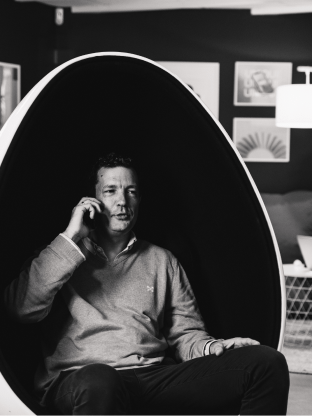
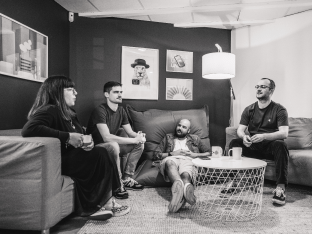
Un Centre de Service agile dédié aux apps mobiles.
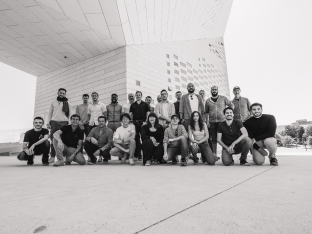
Nous travaillons en interne en équipe, dans nos locaux, en favorisant une mutualisation des connaissances et une expertise technique importante.
Nous mettons en place des équipes pluridisciplinaires, redimensionnables et évolutives selon vos phases de Build et de Run.
Nous n'envoyons pas nos développeurs en mission.


Ux design
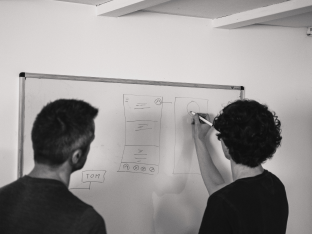
Concevoir une interface c’est avant tout offrir la meilleure expérience à vos utilisateurs. Nous vous accompagnons à travers différents ateliers Ux tout en respectant vos besoins.
L’analyse, la conception et l’évaluation sont les 3 étapes clés nécessaires lors d’une conception centrée sur l’utilisateur.


Ui design
La perception d’une interface est aussi liée à son aspect visuel. C’est pourquoi nous apportons une attention particulière à l’interface utilisateur de nos applications.
Et ce, à travers par exemple : l’affordance des boutons, la densité de l’information, la visibilité, les feedbacks, les guidelines iOS ou Android.


Dev Build
User et… tech centric ! Expertise très forte sur le natif, Stack sur Swift UI, Jetpack compose et de plus en plus sur KMP (Kotlin MultiPlatform). L’idéal du natif avec le même coût que l’hybride.
De nombreux composants réutilisables par métier et surtout une culture ESN d’architecture backend pour concevoir avec vous un produit global.

Run TMA
Notre cœur de métier est le centre de service pour applications ou parc d’applications. Nous avons plus de 50 titres en TMA chez nous à ce jour. Une offre souple et réactive avec des volumes et modalités allant de quelques semaines d’intervention par an à des équipes de dix personnes.
CI, agilité selon votre souhait et aptitudes.


Recovery / Audit
Nous effectuons souvent des reprises en TMA d’applications que nous n’avons pas développées… si le code reste bien compilable et compréhensible !
Pour une app mobile,
vous êtes au bon
endroit, quel que soit
votre métier.

Média & Presse
A l’origine nous étions start up d’agrégation de contenu, aujourd’hui nous pilotons l’évolution de plusieurs dizaines d’applications du domaine média.
Notre spécialisation métier correspond à la mise en place de paywall, achats in-App, SDK de monétisation et de push, players vidéo et la conformité aux contraintes réglementaires. Cette expertise nous permet de réaliser des gains sur l’ensemble du centre de service.
Luxe
Depuis maintenant plusieurs années, nous gérons les évolutions et métamorphoses des apps mobiles de marques telles que Chanel et L’Oréal au niveau mondial.
Cette connaissance et ces habitudes “image et pixel perfect”, B to C et de clienteling, font de nous un acteur de référence pour les applications mobiles de ce secteur.

Et bien d’autres...
Nous sommes fiers d’avoir gagné la confiance de clients tant B to B que B to C, provenant de divers secteurs tels que la finance, les transports, l’énergie ou les services.
Nos clients